

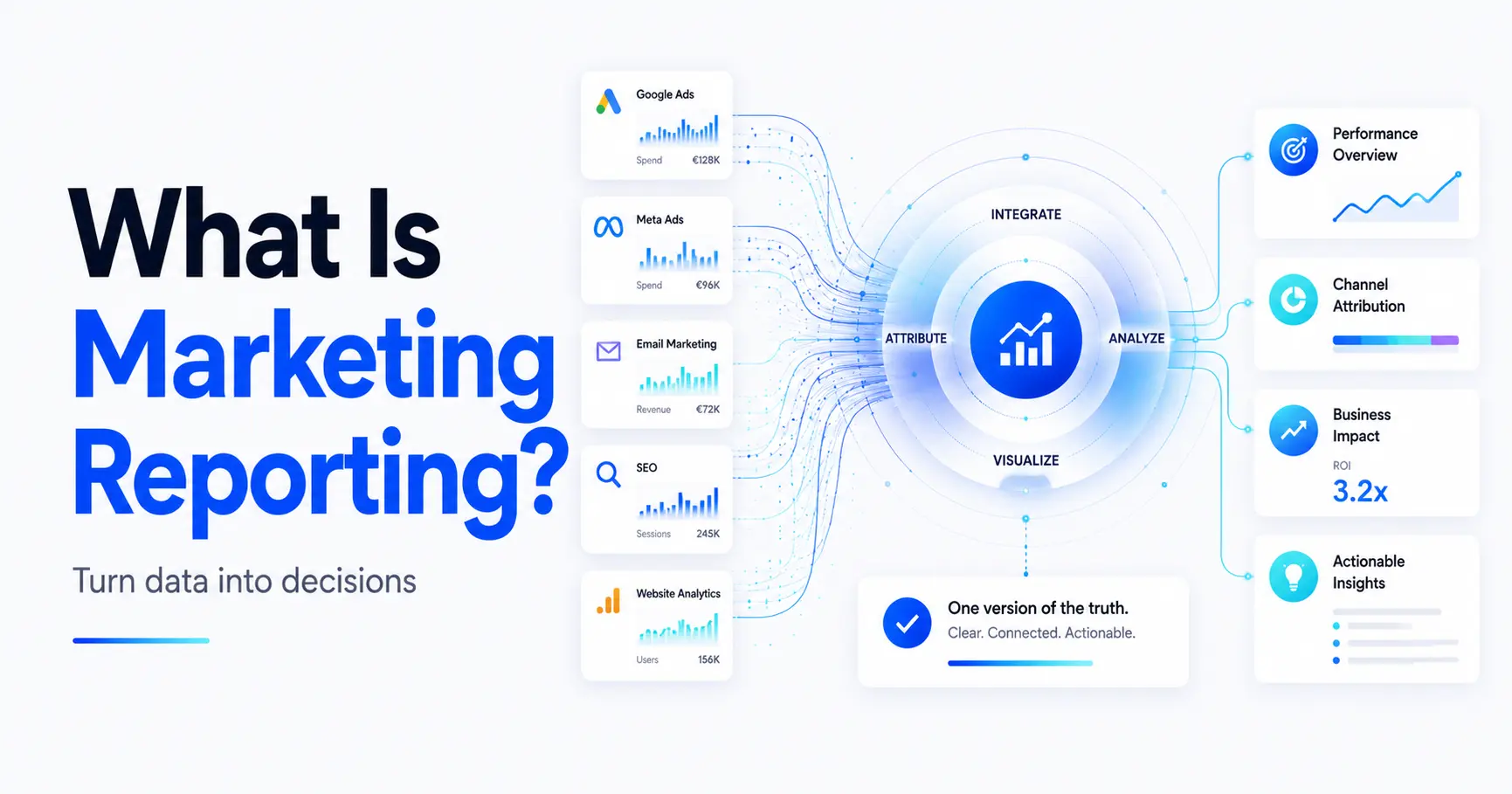
Whether it’s budget, reach, or leads, anyone who does marketing professionally needs clarity about their own performance. Marketing reporting is the tool of choice for this: it provides the data basis for evaluating campaigns, allocating budgets sensibly, and making data-driven decisions.
But what exactly does a good marketing report actually include? Which KPIs are really important? And how do you maintain an overview in the multichannel jungle?
This article provides a complete overview: from definitions and report types to important KPIs and tools to best practices from the field. Ideal for anyone who wants to truly understand and use their reports.
What is marketing reporting?
Marketing reporting refers to the structured collection, evaluation, and preparation of marketing data with the aim of making the impact of measures measurable and enabling appropriate decisions to be made.
It sounds simple at first, but in practice it is often more complex: Good reporting means not only collecting figures, but also selecting them in a targeted manner, visualizing them in a meaningful way, and placing them in a concrete context for action.
For example, while an SEO manager looks at rankings and organic traffic (perhaps no longer the number one KPI in the age of AI overviews), management is more interested in leads per channel, cost per acquisition, or ROAS. Reporting must therefore always keep the target audience in mind.
Distinction from related terms:
Marketing analytics analyzes correlations and trends, while reporting is more descriptive.
Dashboards often display real-time data, while reports are usually structured retrospectively.
Business intelligence as a whole also covers other areas of business (e.g., sales, finance). Marketing reporting focuses purely on marketing data.
In short, marketing reporting is like looking in the rearview mirror—but in a smart, structured, and targeted way. And only those who understand what works (and what doesn’t) can draw real lessons from it.
Why is marketing reporting essential?
The digital marketing world is becoming increasingly complex: more and more channels, fragmented target groups, algorithm-driven platforms and, at the same time, growing pressure to use budgets efficiently. In this dynamic environment, marketing reporting is a key success factor.
1. Channel diversity requires transparency
Whether SEO, SEA, social media, email, or display: modern marketing strategies are spread across many channels. Without structured reporting, it is difficult to maintain an overview. Which measures actually contribute to the goals? Where is budget being wasted? Where are the levers for optimization?
2. Rising expectations within the company
Marketing is a critical business driver. But that also means that management, sales, and investors expect measurable results. Reporting creates trust and legitimacy because it shows what has been achieved and where there is potential for optimization.
3. Decisions must be data-driven
Intuition is good, data is better. Marketing reporting provides the basis for making decisions based on real performance indicators rather than gut feeling. This applies to both strategic direction and operational details, from budget allocation to channel weighting.
4. Automation and real time open up new possibilities
Modern reporting tools enable automated data integration, real-time dashboards, and targeted alerts. Those who use these tools can respond more quickly to developments, identify opportunities earlier, and prevent inefficient budget allocation. This makes marketing more responsive, precise, and scalable.
That is why marketing reporting is a strategic foundation for remaining competitive in a data-driven environment. It creates transparency and enables decision-making based on real data rather than assumptions.
Types of marketing reports
Not all marketing reports are the same. Depending on the objective, target group, and data basis, the structure of a report and what it is intended to achieve will vary. Several types of reports have become established in everyday use, which complement each other well.
Campaign reports
A campaign report evaluates individual actions or time periods. This could be an SEA campaign, a mailing, or a paid social media campaign. The focus here is on key figures such as impressions, clicks, CTR, conversions, or cost per acquisition.
Target group: Performance marketing, project management
Frequency: After completion or in defined cycles (e.g., weekly)
Channel reports
This type of report looks at a specific marketing channel across the board, such as SEO, Google Ads, or LinkedIn. Its development over a period of time is presented. Both trend indicators and benchmarks are important here.
Target group: Channel managers, marketing teams
Frequency: Monthly or quarterly
Funnel or user journey reports
Funnel reports map the development from initial contact to conversion. They show where users drop out, which touchpoints are particularly effective, and how channels influence each other.
Target audience: Marketing strategy, BI teams
Frequency: Monthly, project-related, or integrated into journeys
Management reports
These reports provide condensed, evaluable information for management or investors. The focus is on ROI-oriented metrics: leads, costs, revenue contributions (often cross-channel).
Target audience: C-level, management
Frequency: Monthly or quarterly
When creating reports for different target audiences, you should not simply prepare the same data, but consciously weigh and adapt it. It is not the quantity of figures that is decisive, but their significance for the respective recipient.
Checklist: Is your marketing reporting actually helpful?
Many reports look professional at first glance, but contain too many irrelevant figures, are poorly prepared, or do not reach the right people. This checklist helps you identify weaknesses in your reporting.
| Question | Brief explanation |
|---|---|
| Are reports generated regularly? | Monthly or quarterly reporting is mandatory—ad hoc reporting is not sufficient. |
| Are target groups clearly defined? | A report for management must be structured differently than one for the performance team. |
| Do the reports contain clear goals or target KPIs? | Numbers without reference to a goal are meaningless. |
| Are recommendations for action derived? | A good report not only shows what needs to be done, but also what needs to be done now. |
| Are the most important metrics highlighted? | Visual weighting helps with orientation and focus. |
| Do you use consistent KPI definitions within the team? | Misunderstandings about terms such as “conversion” or “lead” lead to errors. |
| Is reporting partially or fully automated? | Manual data collection takes time, is prone to errors, and is rarely sustainable. |
| Can you make quick decisions based on the reports? | That is the goal. If not, revise your reporting. |
If your answer is “no” to three or more questions, it’s worth talking to us. We’ll be happy to show you how reporting can be simpler, clearer, and more effective.
The most important KPIs in marketing reporting
The key figures that appear in reporting depend heavily on what is to be measured and for whom. Not every KPI is relevant for every team. The decisive factor is which information helps to make decisions, control budgets, or make successes visible.
A structured overview helps you focus on the essentials instead of simply measuring everything that is technically possible.
KPI matrix: What actually matters – by channel and objective
| Objective | Typical KPIs | Suitable for |
|---|---|---|
|
Reach/awareness |
Impressions, visibility, reach, CPM |
Display, Social, YouTube, SEO |
|
Interactions/engagement |
Clicks, CTR, dwell time, shares, bounce rate |
Social, Content, Newsletter |
| Lead generation |
Form completions, CPL, MQLs, conversion rate |
SEA, LinkedIn, Landingpages |
|
Sales/revenue |
ROAS, CAC, CLV, revenue contribution, opportunity-to-close rate |
Retargeting, CRM, B2B-Funnel |
|
Channel efficiency |
Cost per click, click-to-conversion, channel ROI |
Multichannel-analyses |
Note: The selection should always be tailored to a specific goal – not every report needs 20 key figures. Better: three to five truly relevant KPIs, clearly visualized.
Typical mistakes in KPI tracking
Measuring everything but evaluating nothing: Reporting becomes useless data storage.
No target values or benchmarks: Without context, even a high ROAS is just a number.
Unclear definitions: If “leads” are understood differently in sales than in marketing, things get difficult.
Mixing channel KPIs: A high CPC in SEA is not automatically worse than a low CPL in social media.
Recommendations for selecting KPIs
Think channel-specific – every platform works differently.
Prioritize goals – one KPI per goal is often enough.
Differentiate reports – a C-level report needs different KPIs than the performance dashboard.
Observe trends instead of individual values – snapshots distort, time series show impact.
Marketing reporting tools – which ones are right for which teams?
There is a wide range of marketing reporting tools available, from simple spreadsheet solutions to fully automated BI systems. The key thing to remember is that not every tool is suitable for every application. The best approach is not necessarily the most technically complex, but rather the one that efficiently delivers information that enables decisions to be made.
Tool overview: Which ones are suitable for whom?
|
Approach |
Description |
Suitable for |
|---|---|---|
| Google Looker Studio + Connector |
Quick to deploy, visually powerful, good for Google data sources |
Campaign reports, agencies, smaller teams |
| Google Sheets + Add-ons (e. g. Supermetrics) |
Manual or semi-automated, flexible, ideal for ad hoc analysis or budget tables |
Operational teams, quick report wins |
| Power BI / Tableau |
More complex models, KPIs from multiple sources, enterprise-level visualization |
Larger companies, BI-driven organizations |
| Custom BI-Setups |
Customized data models, API connections, data warehousing, ETL processes |
Scaling marketing teams, decision-maker level |
Important: As soon as multiple systems are involved, e.g., Google Ads, Meta, Hubspot, CRM, Shop, offline data, simple tools reach their limits. This requires an integrated BI solution that centrally collects, cleans, and consolidates data.
When simple tools are no longer enough
Different KPI definitions from different systems
Cross-channel attribution
Combination of online and CRM data
Standard tools do not provide a valid data basis or automation
Scalability (multiple markets, teams, languages)
Our recommendation based on practical experience
Many of our customers start with a pragmatic setup – often based on Google Looker Studio or Power BI. However, as soon as multiple platforms, target groups, or complex journeys come into play, we work together to set up structured BI solutions:
Development of central data models
API connections (e.g., Meta, GA4, Hubspot, Salesforce)
Reporting templates for management, marketing, sales
Automation & role-based access
Our focus is always on clarity, relevance, and sustainability – so that marketing reports not only look good, but also provide data-driven arguments for decisions.
Dashboards vs. reports – which to use when?
In everyday reporting, “dashboard” and “report” are often used interchangeably – incorrectly. Both have different tasks, target groups, and requirements. Those who make a clear distinction between the two will not only obtain clearer data, but also greater acceptance within the company.
Dashboards – for a quick overview
Dashboards are visual interfaces that display data in real time or near real time. Their advantage lies in their speed: they provide quick access to current developments and help teams react quickly.
Typical features of dashboards:
Live data or daily updates
Interactive filters (time periods, channels, target groups)
Visualizations: diagrams, KPI tiles, heat maps
Use in operational teams to manage campaigns or day-to-day business
Dashboards are ideal for operational management: e.g., when paid channels need to be adjusted daily or when funnel breakpoints need to be quickly visible.
Reports – for structured evaluation and communication
A report has a different purpose: it condenses data over a period of time, puts it into context, and serves as a basis for decision-making. It is often used for coordination with management or to document measures.
Typical features of reports:
Fixed reporting period (e.g., monthly, quarterly)
Targeted evaluation: What went well? What didn’t work? Why?
Comments, conclusions, and recommendations for action, if necessary
Use by stakeholders, management, customers
Reports are important for strategic classification and for anyone who makes decisions but does not work on campaigns on a daily basis.
What matters: Clear purpose, clear target group
|
Comparison | Dashboard | Report |
|---|---|---|
|
Goal |
Operational control |
Strategic evaluation |
| Data Freshness |
Real time/daily |
Retrospective (e.g., monthly) |
| Format |
Interactive, visual |
Static or PDF, with explanations |
| Users |
Specialist and campaign teams |
Management, customers, project management |
|
Additional information | Rarely |
Often, including conclusions, lessons learned, recommendations |
Both formats have their place in the reporting process. In our projects, we almost always use a combination of the two:
Dashboards for the operational level
Standardized reports for decision-makers and third parties
It is important that all data comes from the same source or a consolidated data model to avoid contradictions and loss of trust.
Reporting process: From data source to decision
Good reporting does not start with a tool, but with a clear objective. Without a defined question, any data analysis remains arbitrary or ends up in PowerPoint slides that no one reads. A structured reporting process helps to avoid exactly that.
1. Define your goal(s)
The first question to ask is: What should the reporting reveal?
Is it about campaign evaluation? Budget efficiency? Channel comparisons? Or is it about providing management with an overview?
Without a goal, the selection of KPIs remains arbitrary. That is why this step is the most important in the entire process.
2. Select relevant KPIs
Not everything that can be measured is relevant. The selection of KPIs should be consistently aligned with the objectives and reduced to a manageable set. Ideally:
3–5 core KPIs per report
plus supporting metrics (e.g., for diagnosis) if necessary
3. Identify and connect data sources
This is where the simple approach often differs from the professional setup. The more channels or systems are involved, the more important it is to have clean data integration.
Typical data sources:
Google Ads, Meta, LinkedIn, YouTube
GA4 / Looker Studio
CRM systems (Hubspot, Salesforce)
Webshop or POS systems
Offline channels / Excel imports
In more complex projects, we rely on central data models in which all sources are automatically merged – including matching, harmonization, and cleansing.
4. Visualization & structure
Now it’s time to prepare the data:
Which KPIs are the focus?
How are developments presented?
What filters does the target group need?
This is what determines whether a report is understood or confusing. That’s why we recommend:
Uniform layout
Consistent time periods
Visual clarity (e.g., traffic light logic, KPI tiles, development graphics)
5. Interpretation & recommendations for action
A report from which no conclusions can be drawn is not worth much. That’s why it needs to be classified in terms of content:
What does the result mean?
Where does it deviate from the targets?
What should happen next?
Many companies forget this step – yet it is often the difference between good reporting and truly useful reporting.
A functioning reporting process does not have to be complicated, but it does need to be clearly structured. It puts data into shape, reduces complexity, and provides actionable answers.
Automation in reporting – less effort, more clarity
Many companies still create their reports manually – with screenshots, copy-paste from tools, or weekly exports to Excel. This is time-consuming, error-prone, and quickly becomes confusing. Reporting automation provides a permanent solution.
Why automate?
Less manual work: Gathering data from ten sources? No need to.
Avoid errors: Typos, version conflicts, and duplicate numbers are among the most common problems in Excel reports.
Respond faster: When you automatically provide up-to-date data, you can identify deviations or opportunities immediately.
Repeatability: A well-automated report will work just as well next month – without any extra effort.
What can be automated?
|
Area |
Exemplary automation |
|---|---|
|
Data import |
Connectors (e.g., Supermetrics, Funnel.io) pull data from advertising platforms |
|
Data consolidation |
Automatic consolidation in a central sheet or BI model |
|
Visualization |
Dashboards update themselves automatically with new values |
|
Delivery & access |
Time-controlled PDF export or dashboard link with user rights |
How we support
We support companies not only in setting up their reporting processes, but also in technically automating them, for example through the following steps:
Selection of suitable connectors or APIs
Setup of data pipelines & calculation logic
Template design for dashboards or PDF reports
Training & handover to in-house teams
The goal: a system that runs reliably, is easy to maintain, and provides all relevant figures in a uniform structure.
Conclusion – Marketing reporting
Marketing reporting is effective when it is more than just a collection of data. It should provide guidance, prepare decisions, and create clarity – for specialist departments as well as for management. Instead of trying to measure everything, it is worth focusing on the essentials: asking the right questions, defining relevant KPIs, consolidating data, and presenting it in a comprehensible way.
Many teams don’t have too little data, they have too little structure. Good reporting creates precisely this structure – with repeatable processes, coordinated terms, and clear objectives. Those who understand reporting as part of daily management save time and increase the quality of decisions across the entire marketing department.
As an agency, we support companies in setting up sustainable reporting processes – from the data source to visualization. Whether you need a simple campaign report or a complex BI dashboard, we help you turn data into actionable information.
If you would like to further develop your reporting, please get in touch with us. We will help you find the right solution for your requirements.


