


Shopify is making significant changes to its checkout system that will directly impact how conversion tracking works on Google Ads. Legacy tracking methods such as checkout.liquid, “Order Status Page Additional Scripts,” and Shopify Custom Pixels will be discontinued.
Once these are no longer in use, conversion tracking might break, leading to data loss, reduced ad performance, and weaker customer reach. To safeguard your advertising effectiveness and ensure future-proof tracking, migrating Google Ads conversions to the Google & YouTube app is essential.
Why You Must Migrate Now
Shopify’s upcoming checkout changes will remove support for legacy tracking methods, including:
1. checkout.liquid (Shopify Plus)
2. “Order status page additional scripts”
3. Shopify Custom Pixels
Deadlines for shutdown:
Shopify Plus: August 28, 2025
Non-Plus: August 26, 2026
After these dates, conversion tracking will break, leading to:
Loss of tracking data
Degraded ad performance
Reduced customer reach
Broken bidding strategies
Benefits of Migrating to the Google & YouTube App
Seamless integration with Google Ads, Analytics, YouTube, and Merchant Center
Accurate, future-proof tracking that stays compatible with Shopify updates
Access to advanced features like Customer Match and Enhanced Conversions
Who Needs to Take Action
You must migrate if you currently use:
checkout.liquid or Order Status Additional Scripts
Custom Pixels (unsupported by Google, causes measurement discrepancies)
Legacy Google Analytics integration (Online Store > Preferences) — deprecated
Special Cases & Limitations
Google Tag Manager: Cannot be set up via the app—must place tags directly in the app.
Multiple Domains: Ensure the correct domain is claimed in Merchant Center.
Unsupported Tag Customizations: Some in-code custom settings won’t carry over automatically.
Third-party tools: If using other tag managers or product sync tools, verify compatibility and possibly disable product sync in the Google & YouTube app.
Migration Steps
1. Install & Connect
Install the Google & YouTube app on Shopify
Connect your Google Ads account (must be a client account, not manager/admin)
If you are running product-based or Performance Max campaigns:
1. Connect Google Merchant Center to Shopify to sync products
2. Link Google Ads to Merchant Center
3. Ensure your Google account has admin rights to Ads, Analytics, or Merchant Center
If tracking conversions only:
Same admin rights requirement
Ensure Ads account is a client account
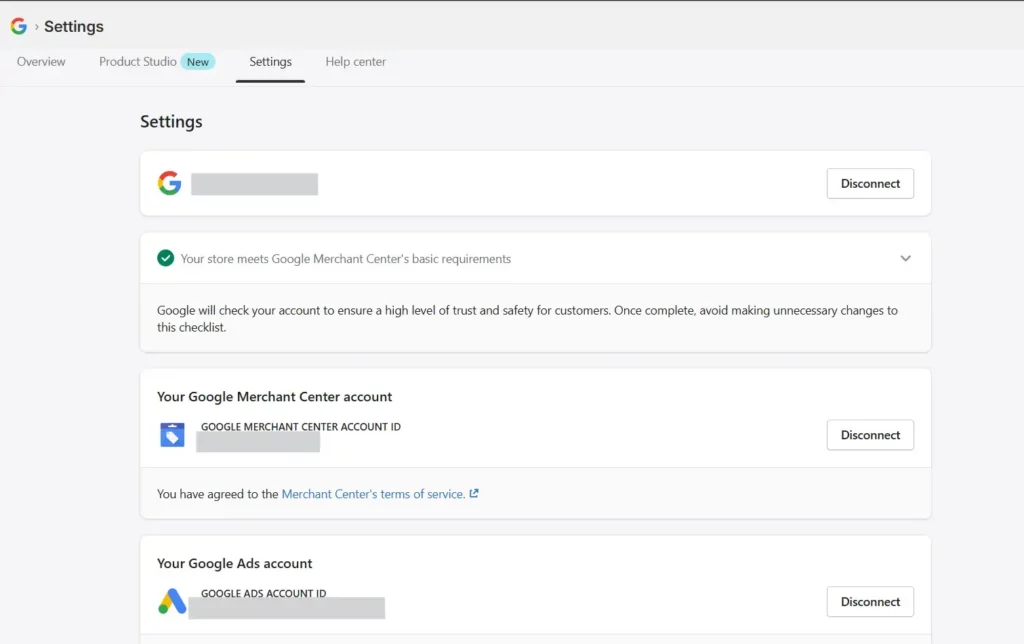
In the end you should be able to see the status “Active”:
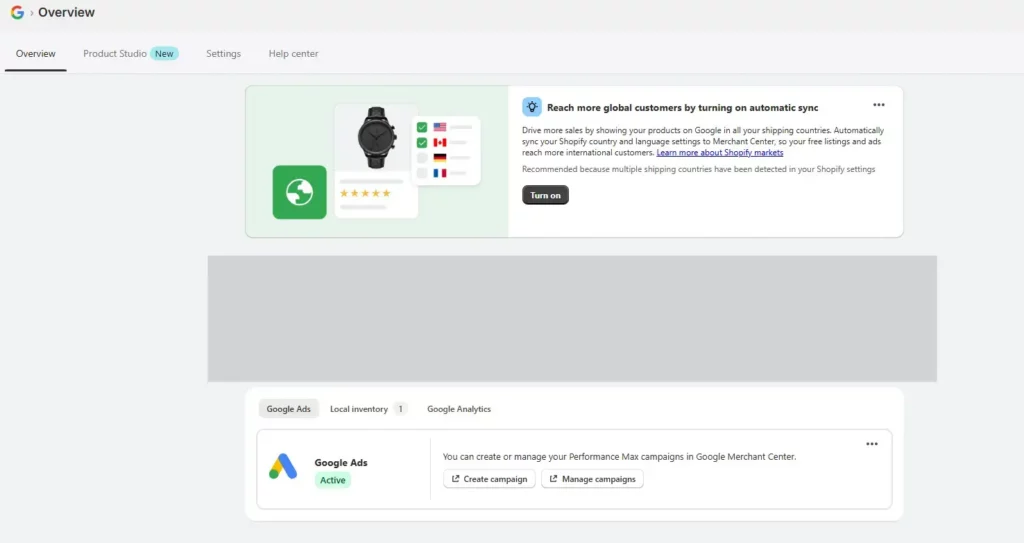
2. Configure Conversion Tracking
In Google & YouTube App → Settings → Conversion Event Settings → Manage
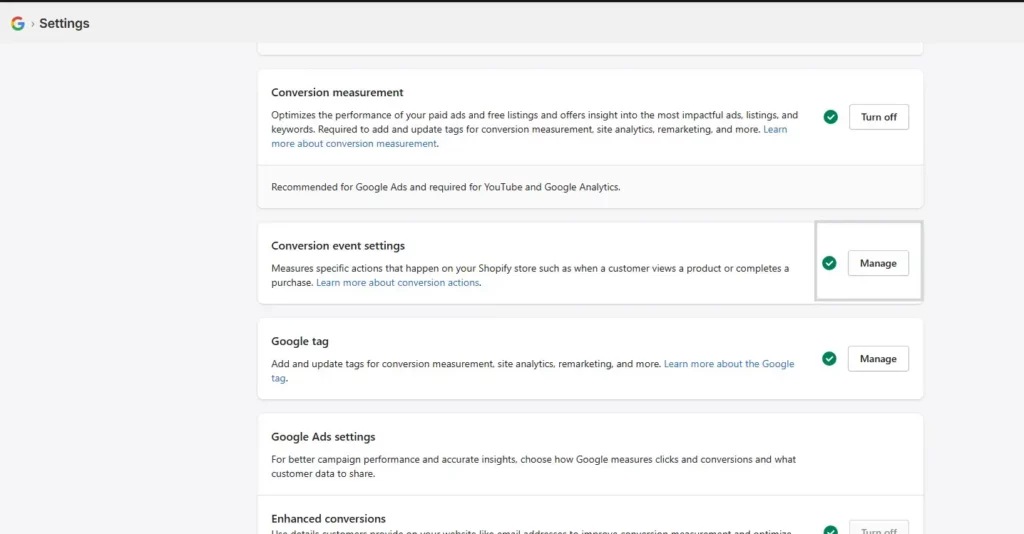
Inside of “Measure Conversions” go to Manage: For each Shopify event:
Select from linked account → choose from existing Google Ads conversions
or
Add custom conversion ID/label (format:
AW-XXXXXXXXXX/YYYYYYYYYYYY)
You can map one Shopify event to multiple Google Ads conversions

3. Remove Duplicate Tags
- Remove Google Ads conversion tags from your Google Tag Manager
- Remove any the correspondent Google tag code from checkout.liquid
- If existing remove conversions from Custom Pixel
- Test changes using Google Tag Assistant to confirm events are firing
Conclusion:
For Shopify Plus merchants, the upcoming Shopify deadlines leave no room for delay—migrating now is the only way to protect your tracking, advertising performance, and long-term campaign success. By transitioning to the Google & YouTube app, you’ll maintain accurate, reliable tracking while unlocking advanced Google Ads features like Enhanced Conversions and Customer Match. Act before your cutoff date to secure your data, optimize your campaigns, and stay ahead of Shopify’s evolving checkout system.
Bottom Line: Migrating to the Google & YouTube app ensures
- No loss of conversion data
- Continued accurate ad performance tracking
- Compatibility with Shopify’s new checkout
- Access to advanced Google Ads features
If you need support with migration, conversion tracking, analytics, or advertising performance, contact us today — our team will help you stay ahead and future-proof your business.


